In the app / start here
Add a site
4 stepsAbout 3 minutesOwner, admin or site manager
A site is the anchor of the record: every listing, deal and compliance document points back at one. Coordinates lock once a site is referenced by a deal, so place the pin properly the first time.
1
Open Sites and press Add site
Sites lives in the rail. The register shows every site your organisation holds; Add site sits in the header.
2
Name it, and say which way material flows
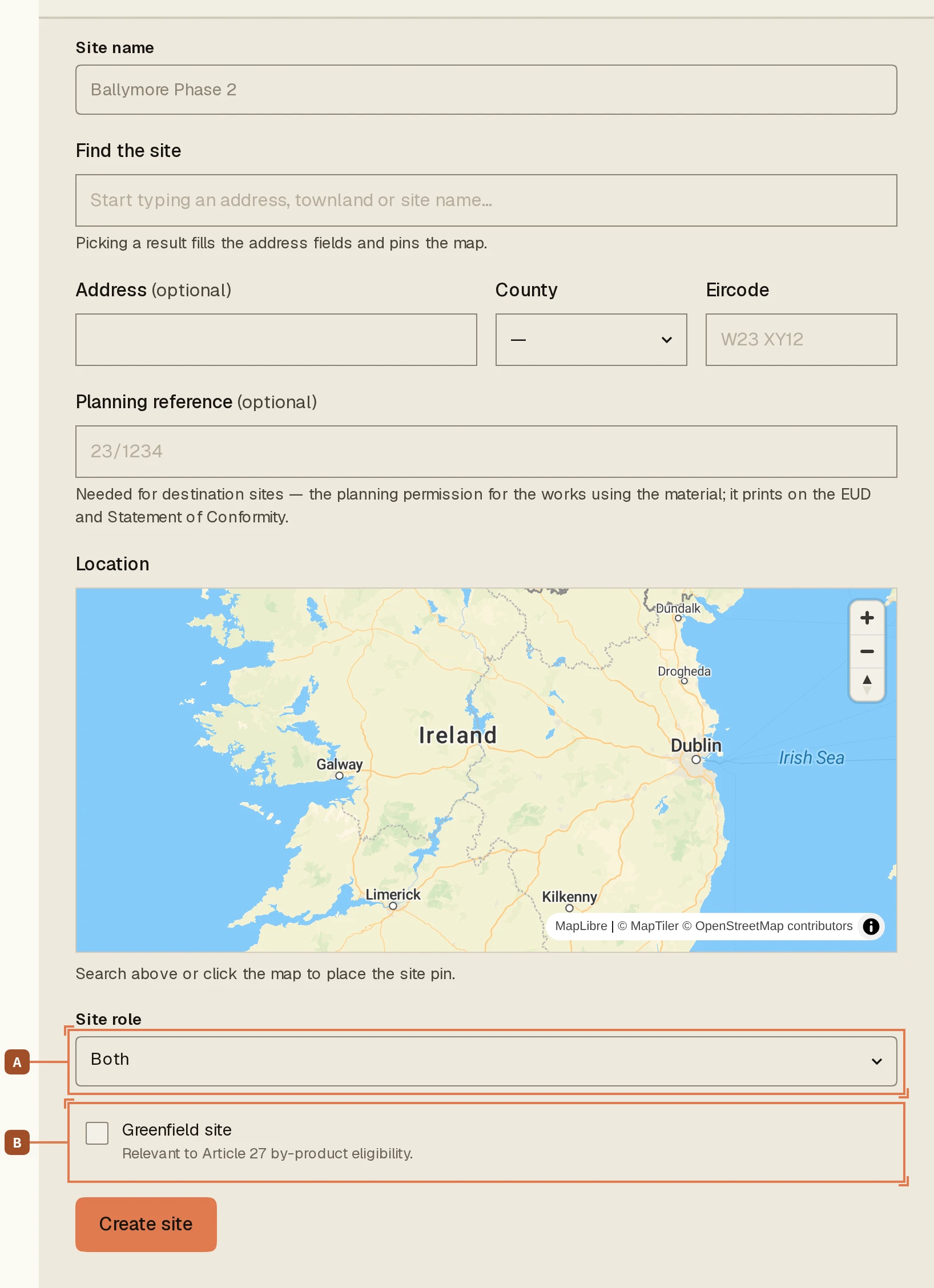
The Site role A is the question that matters: Source: has surplus material, Destination: needs material, or both. It decides which side of a deal this site can be offered on. Tick Greenfield site B if it is one. Greenfield origin is the first eligibility question in the by-product criteria, and answering it here answers it once.
3
Place the pin
Enter the address and drop the map pin on the actual works, not the site office. Distances on the marketplace are measured site to site, so the pin is doing real work.
4
Create, and read the record back
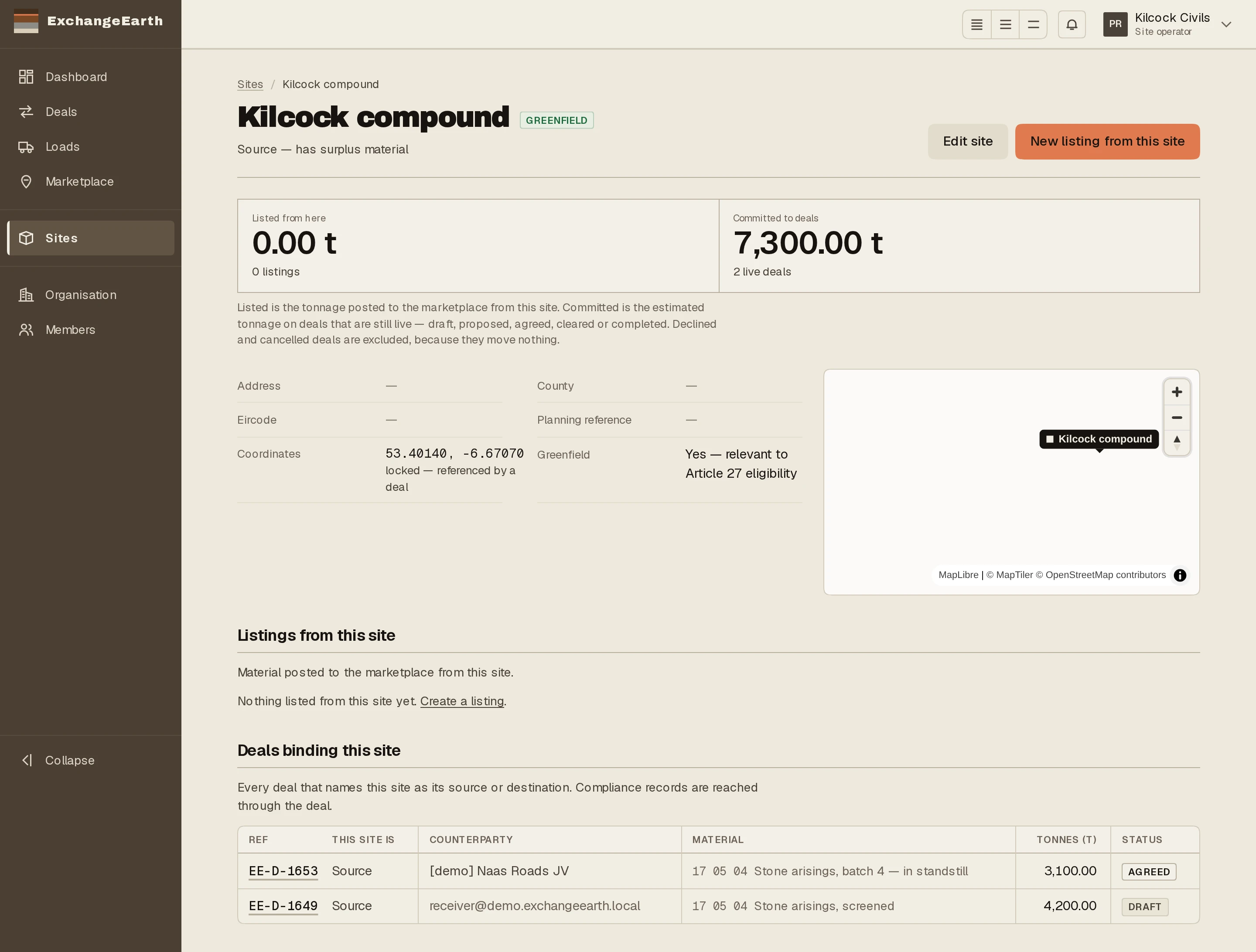
Press Create. The site record carries its listings and the deals that bind it, plus New listing from this site when you are ready to trade from it.
What happens next: List what the site has, or what it needs.