In the app / the haulier office
Work the loads register
3 stepsAbout 5 minutesOwner, admin or site manager
The loads register is the record to produce when an inspector asks what moved: every movement you are hauling, newest first, filterable, exportable.
1
Scope, search, sort
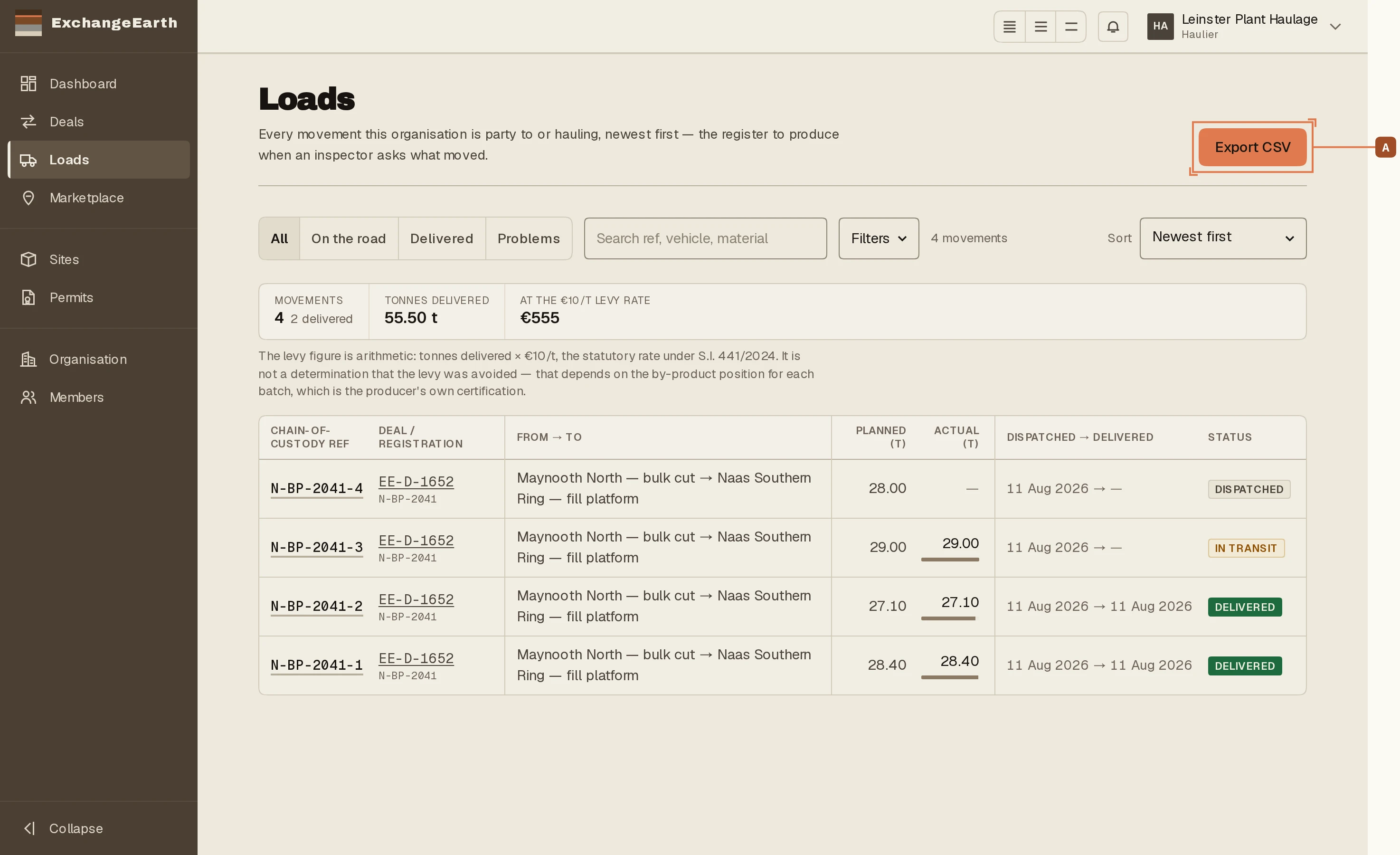
Four scopes (All, On the road, Delivered, Problems), plus search by reference, vehicle or material, date filters and sort. Export CSV A exports exactly the current filter.
2
Open a load, read the docket
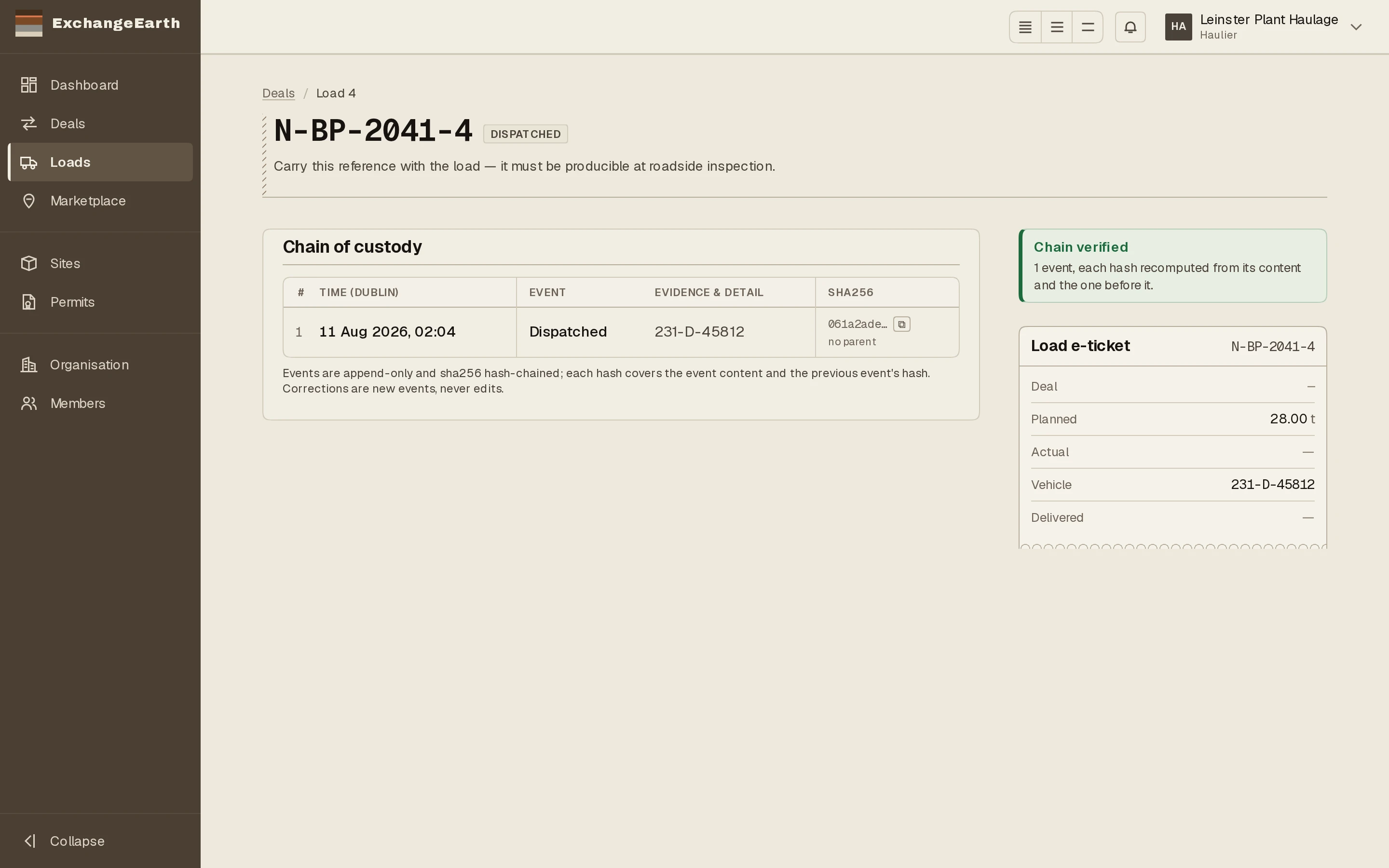
A load’s record carries the e-ticket docket, tinted for whose copy you are looking at (the haulage office’s included), with the full chain of custody beneath it. Download e-ticket PDF produces the paper a driver would hand over at a roadside stop.
3
Problems is the queue that matters
Rejected and failed loads scope under Problems. A failed acceptance quarantines the material pending resolution. The producer and receiver argue it out, but your record of the movement is already immutable either way.