In the app / the destination side
Draw up the self-billed invoice
4 stepsAbout 8 minutesOwner or admin
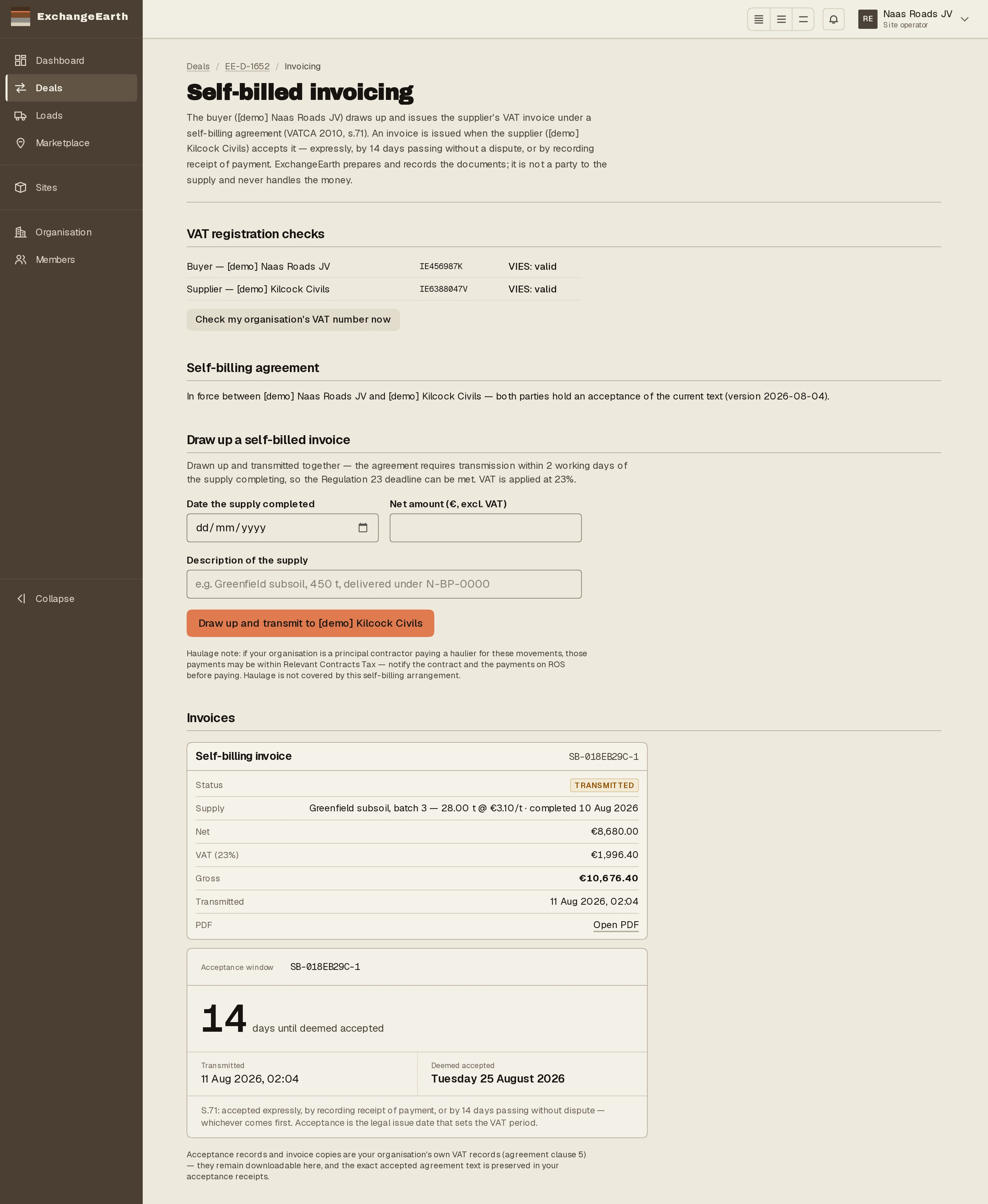
Where the destination pays the source, invoicing runs as self-billing under VATCA 2010 s.71: you, the buyer, draw up and issue the supplier's invoice. The app keeps the statutory order: VAT checks, the agreement, then the draw-up, which is always your act.
1
Clear the VAT checks
Self-billing needs a VAT-registered buyer, so the surface starts with both organisations’ VIES status. Anything unresolved is a listed block with its own control: Check my organisation’s VAT number now runs the check on the spot.
2
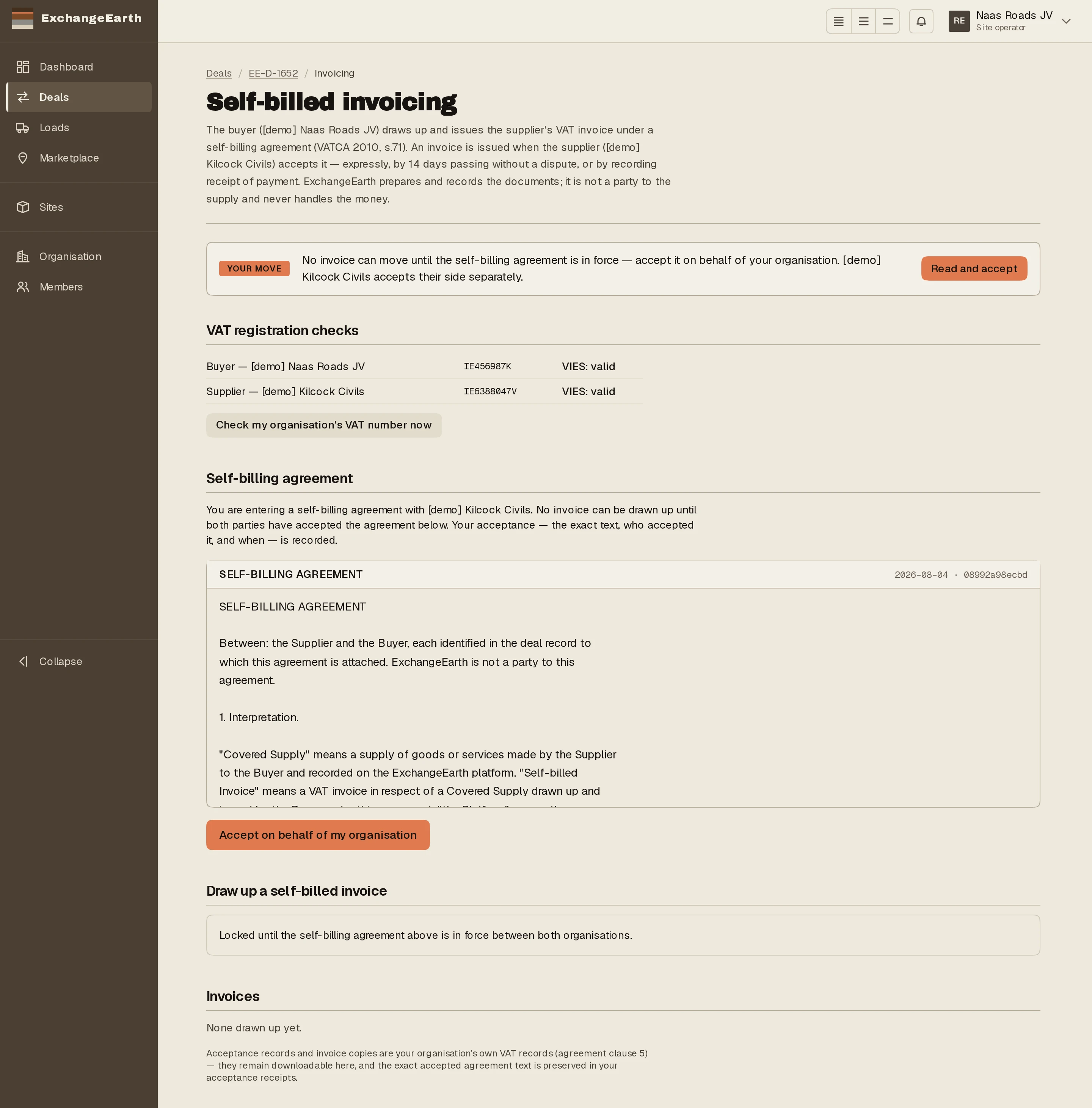
Both sides accept the self-billing agreement
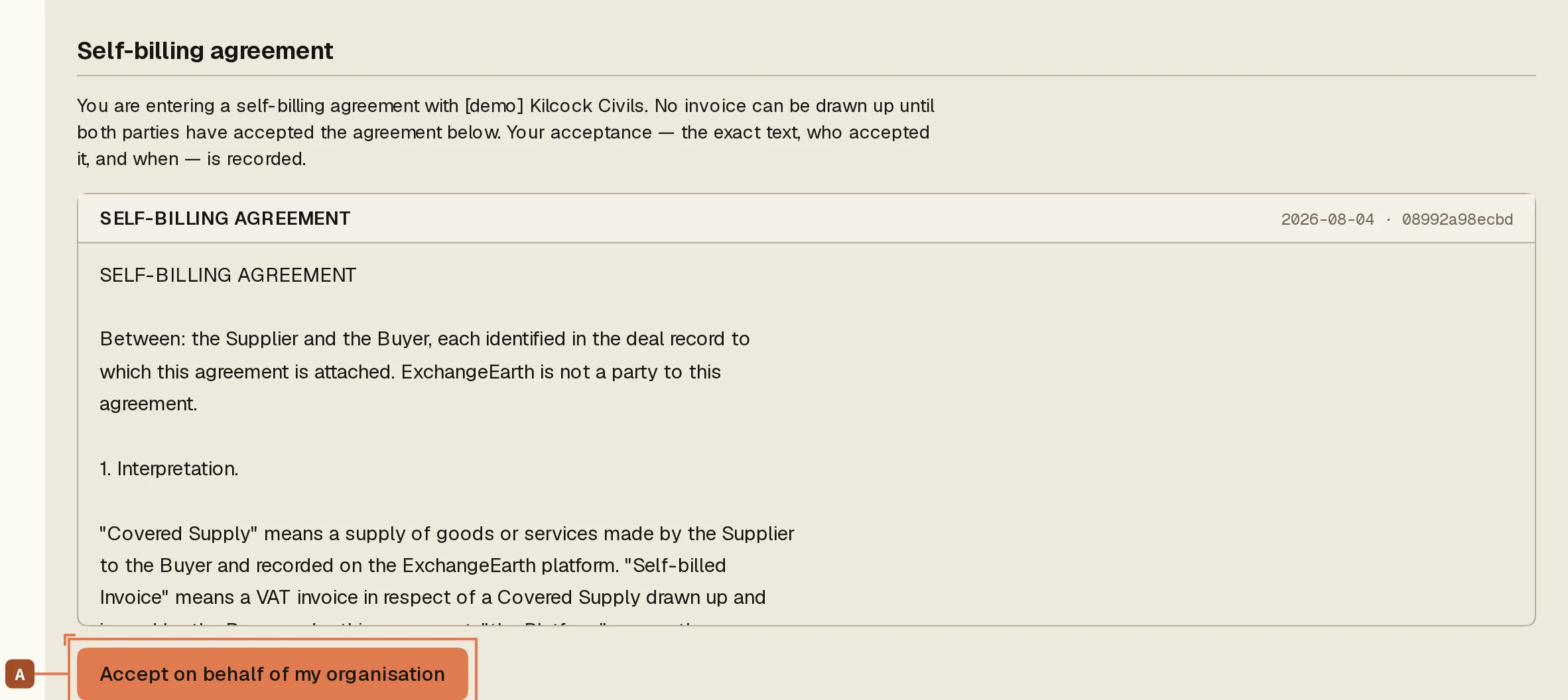
The agreement is the statutory precondition: you prepare and issue the supplier’s invoices; they accept each one expressly, by payment, or by the fourteen-day window. Each organisation’s owner or admin presses Accept on behalf of my organisation A, and nothing can be drawn up until both have.
3
Draw up the invoice: your act, always
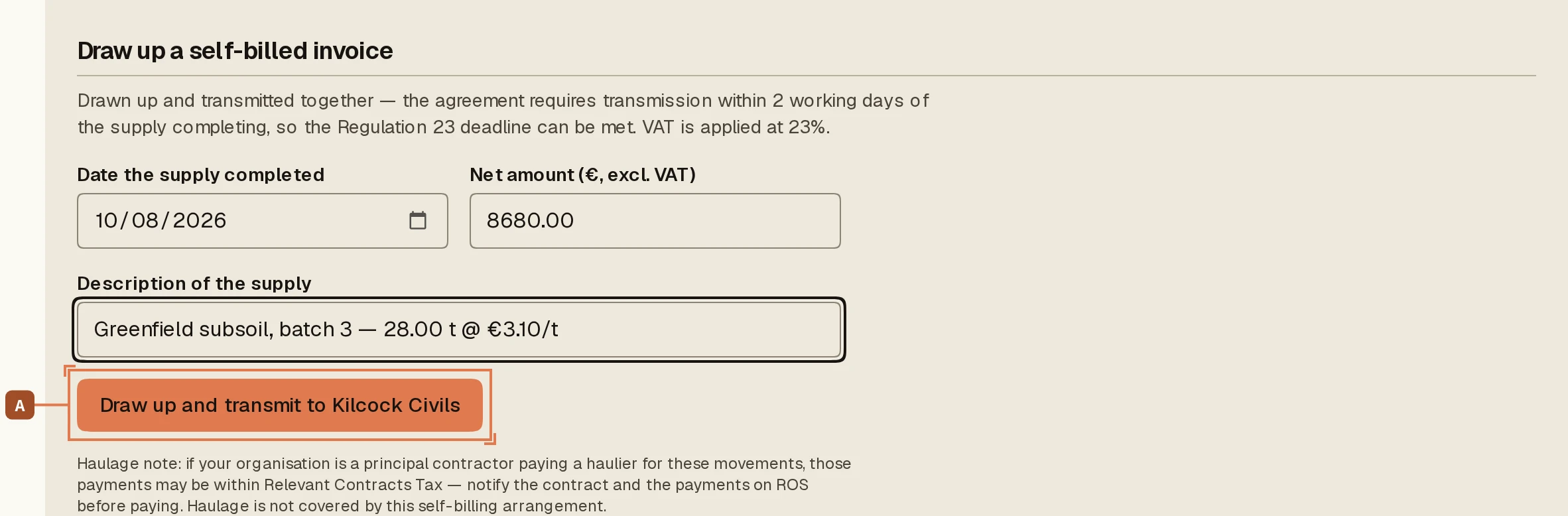
Enter the supply date, the net amount and the description, and press Draw up A. This button is the legal design: the buyer triggers generation, presented as issuer. There is no auto-issue anywhere. If the platform generated invoices for you, the arrangement would stop being self-billing.
4
The invoice waits on the supplier
The drawn-up invoice, endorsed Self-billing as the regulations require, now sits with the supplier to accept, dispute, or accept by payment. Dispute sends it back to you: a corrected invoice within five working days supersedes the original. Issued means accepted, and the acceptance date drives the VAT period.