In the app / the destination side
Respond to a proposed deal
3 stepsAbout 3 minutesOwner, admin or site manager
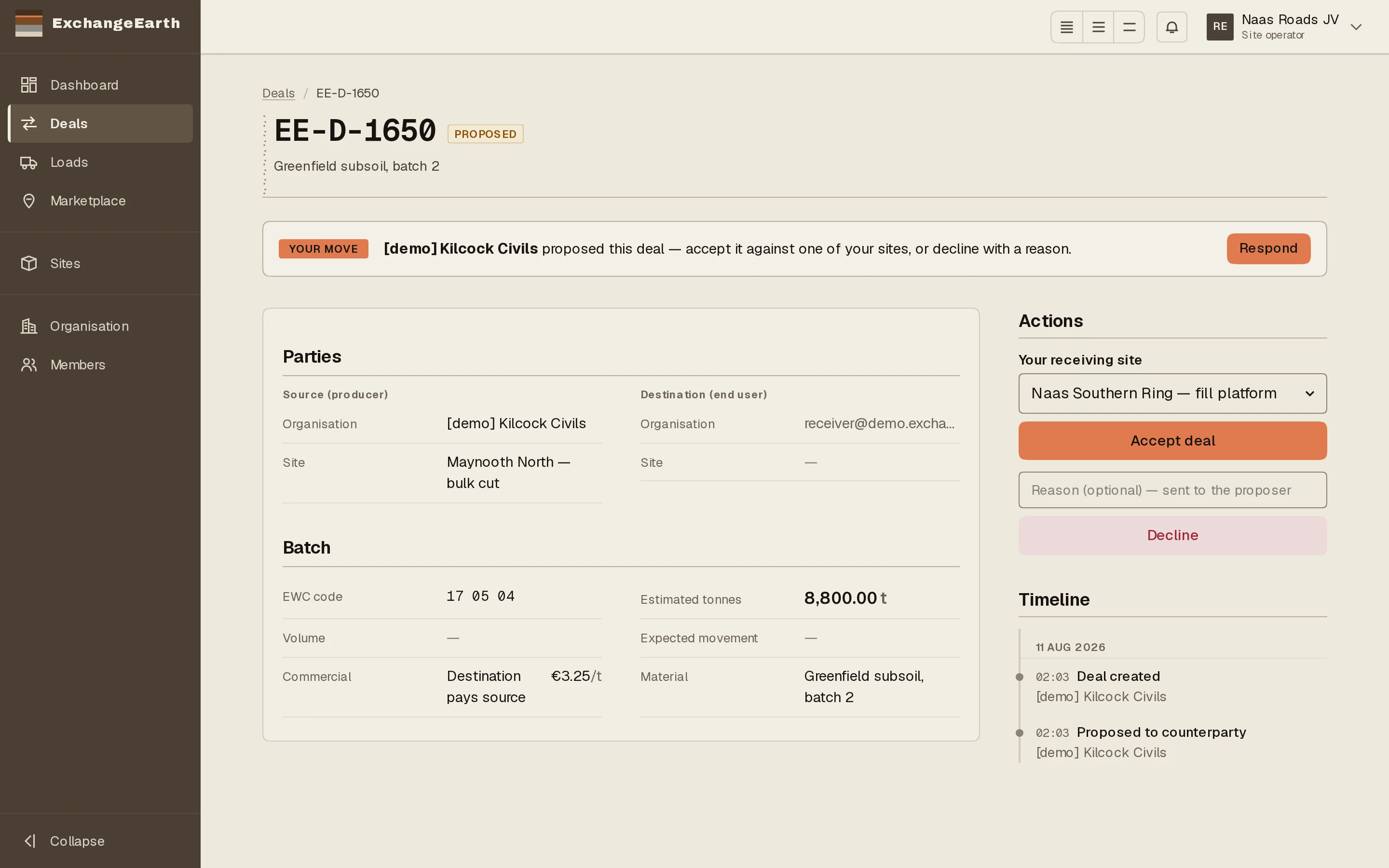
When a deal is proposed to you, the move is yours and the app says so everywhere: the dashboard queues it, the deals list pins it, and the deal page opens with the controls.
1
Find your move
The dashboard’s Needs you now carries the deal with a Respond tag, and the deals list pins it in the turn banner: proposed to you, with Open and respond.
2
Accept against a site, or decline with a reason
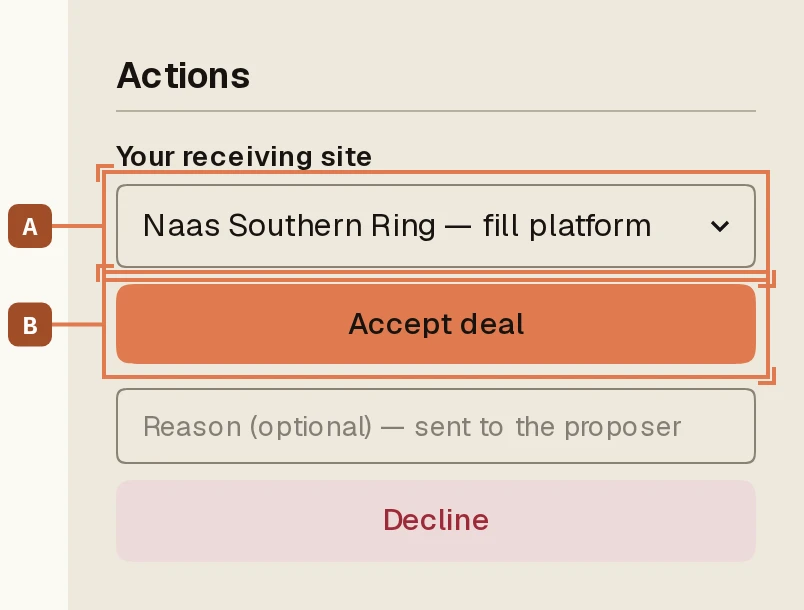
Pick the receiving site A and press Accept deal B. Or decline: the optional reason goes to the proposer, and a good one (“window too late for our programme”) keeps the relationship warm. No sites yet? The panel sends you to add one first.
3
Agreed, and now the waiting is structured
On acceptance the deal is agreed and the compliance track opens on the producer’s side. Your side of the page keeps the same shape; the banner now tells you what you are waiting for.
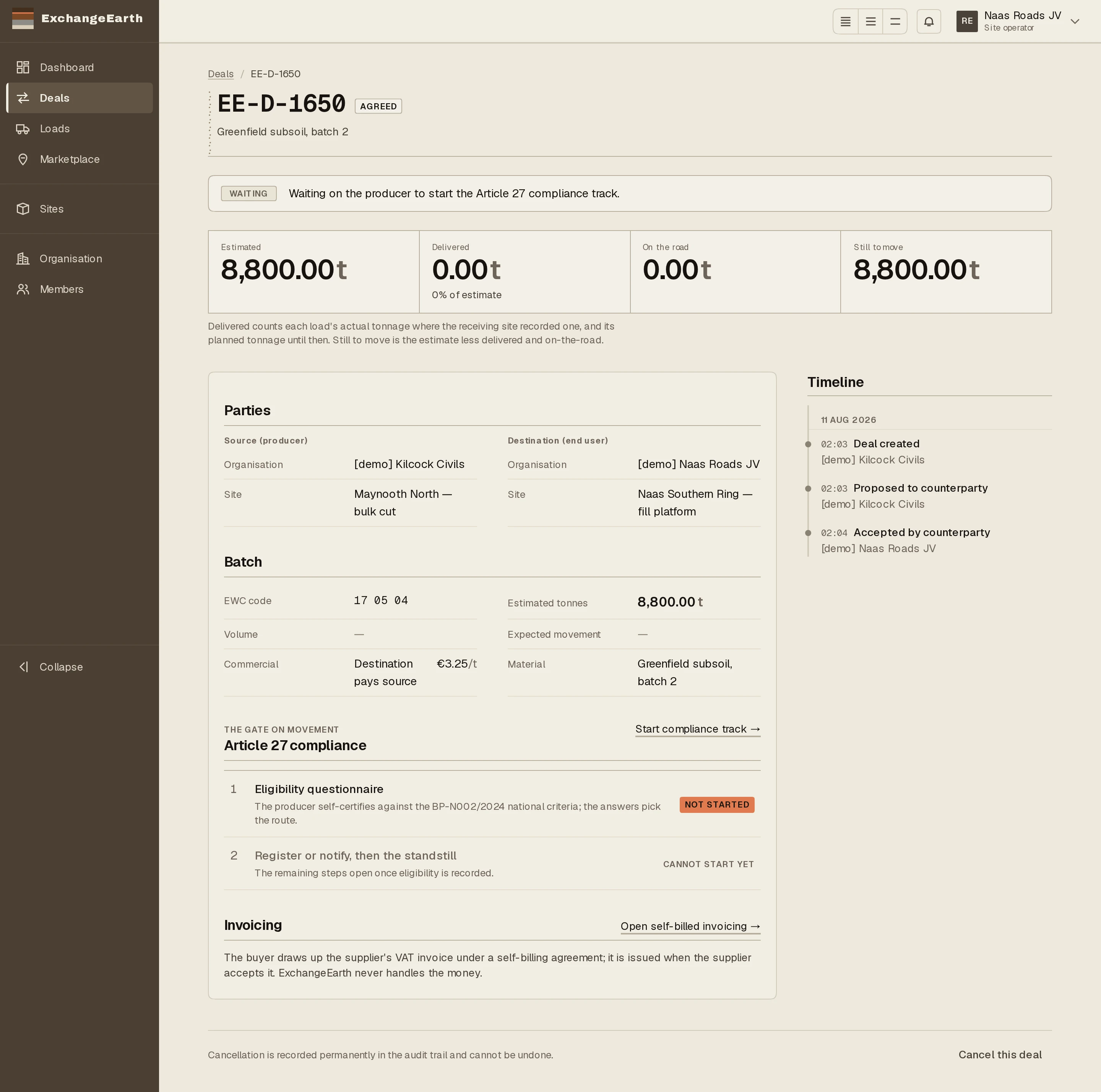
What happens next: What the producer owes next, and what you can see of it: follow the compliance track.