In the app / the destination side
Follow the compliance track
3 stepsAbout 5 minutesAny role on the destination organisation
The compliance steps belong to the producer, but the record is shared: you can read every step, every document and every date, and the wait banners tell you precisely what you are waiting for.
1
Open the track read-only
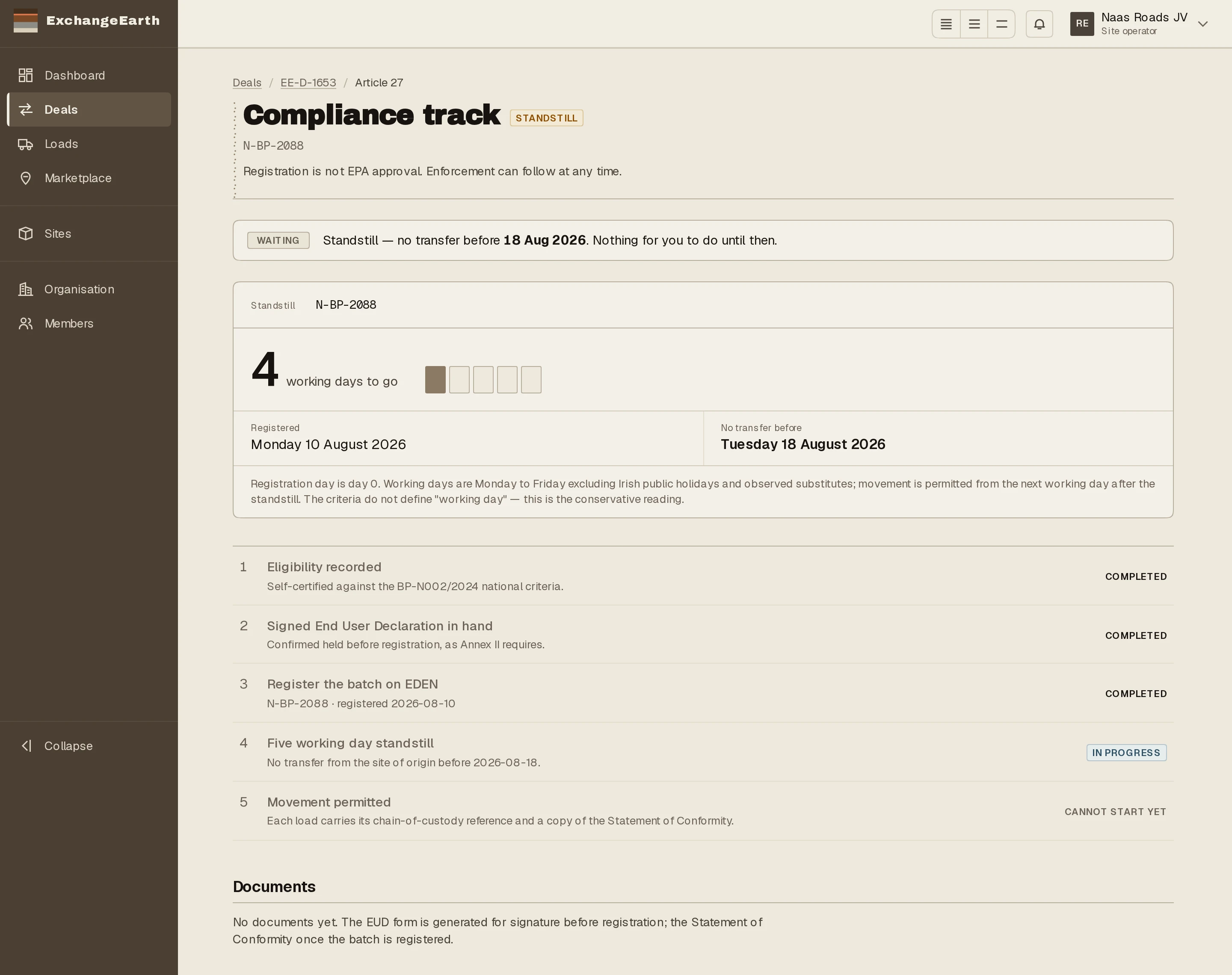
From the deal’s Article 27 compliance section, open the track. Where the producer sees controls, you see the state: Waiting on the producer. The steps below are theirs to complete.
2
Understand the standstill from your side
During the standstill the banner reads: no transfer before the date shown, nothing for you to do until then. The date is statutory, the clearing is automatic, and no amount of programme pressure moves it. Plan around it rather than against it.
3
Know which documents reach you
The Statement of Conformity and End User Declaration travel with the deal and its loads. You hold copies from the deal’s Documents section, and every load your drivers or gate staff meet carries the reference back to them.