In the app / the source side
Run the BP-N002 compliance track
6 stepsAbout 20 minutesOwner, admin or site manager (producer side only)
The compliance track is the producer's: eligibility, the signed End User Declaration, registration on EDEN, the standstill, the Statement of Conformity. The app keeps the order honest and the evidence attached; the certification itself remains yours.
1
Open the track from the deal
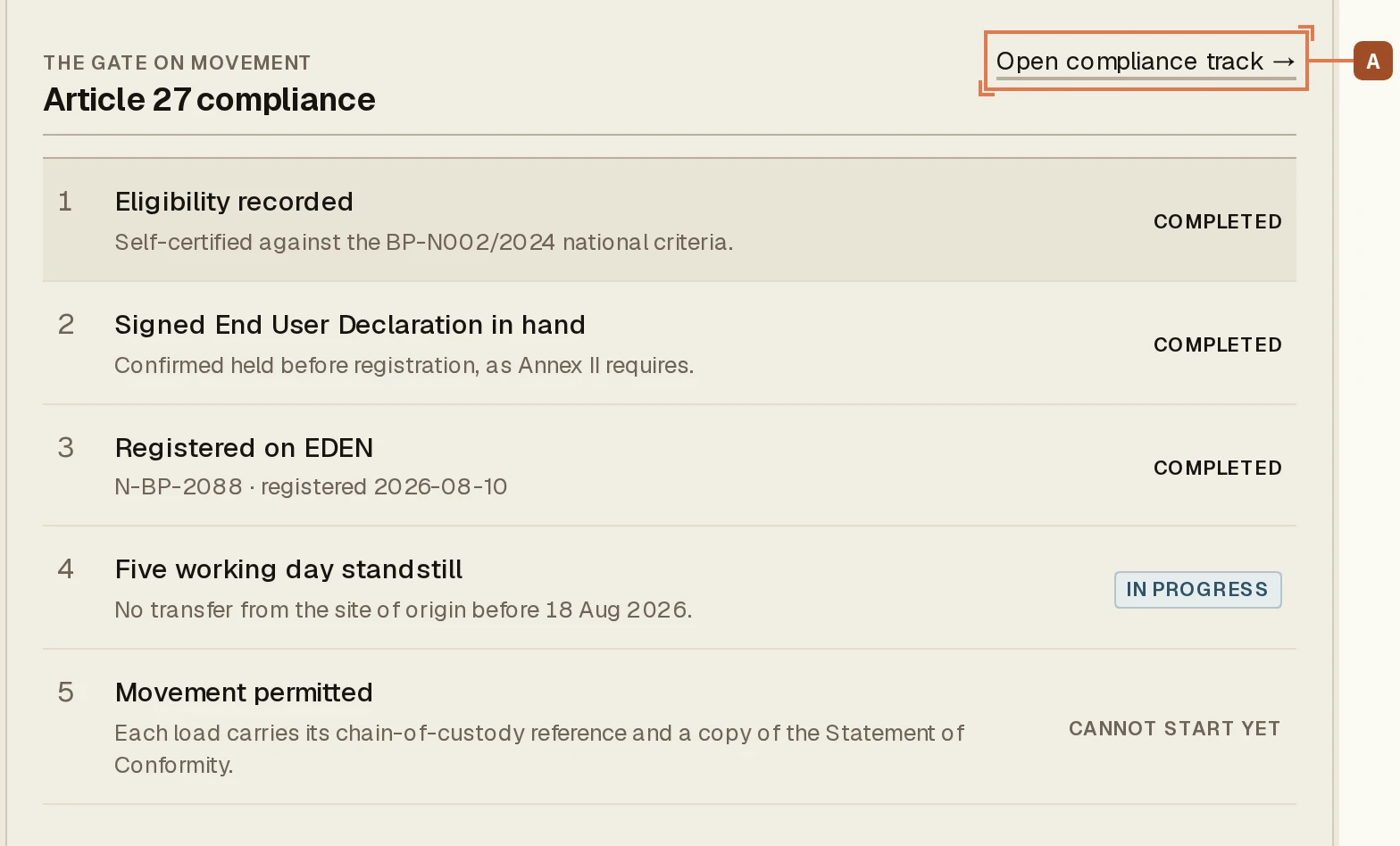
Every deal carries an Article 27 compliance section, visible to both sides. It is the gate on movement, and A opens the track itself.
2
Record eligibility: all ten statements
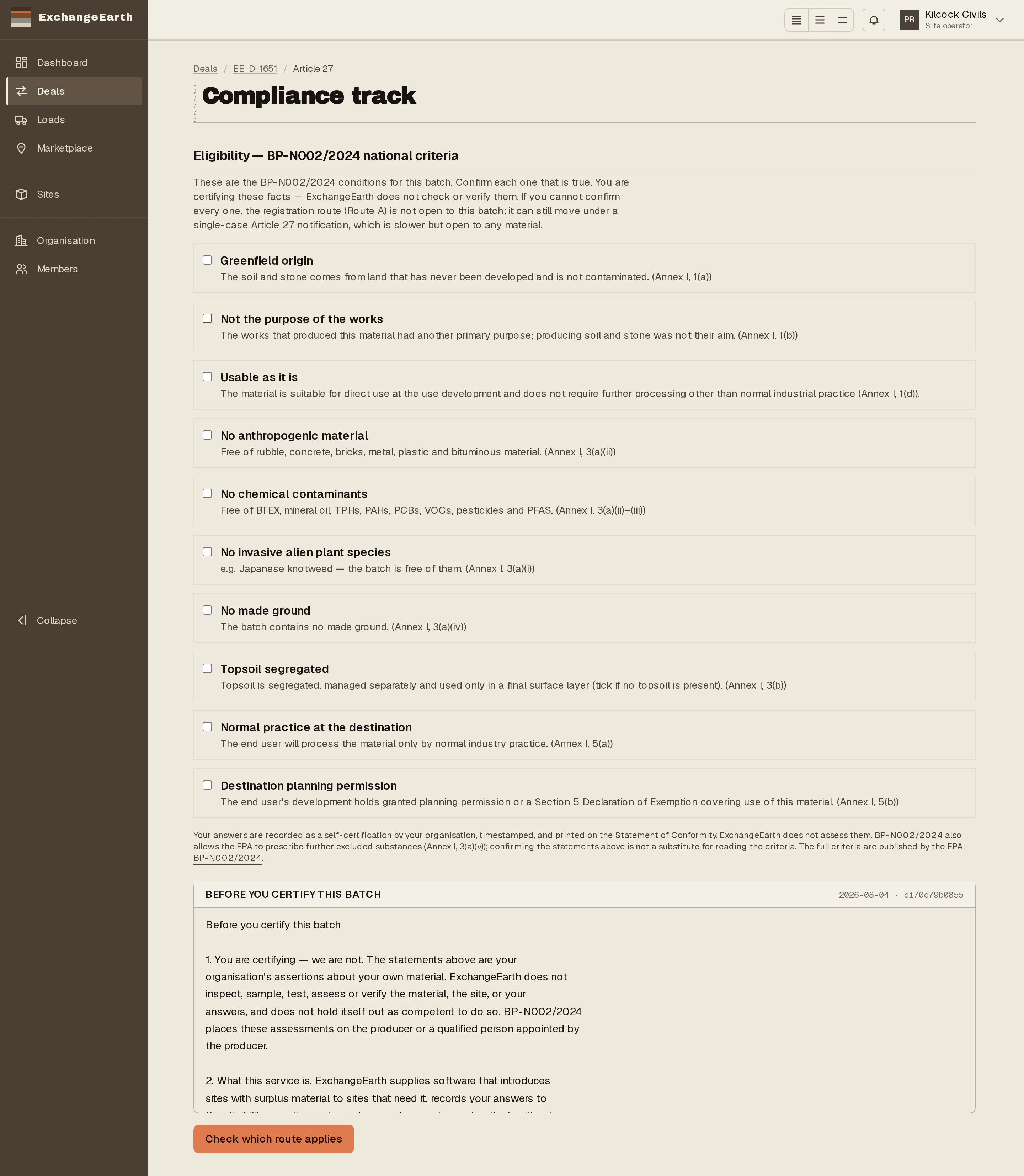
The Annex I criteria are ten statements you certify per batch: greenfield origin, not the purpose of the works, usable as it is, no contaminants, no invasive species, and the rest. Read the clickthrough before you certify. This is a self-certification with your name on it, not a form to speed through. Then Check which route applies: compliant answers continue on this track; a failed criterion routes to the single-case notification.
3
Prepare and confirm the End User Declaration
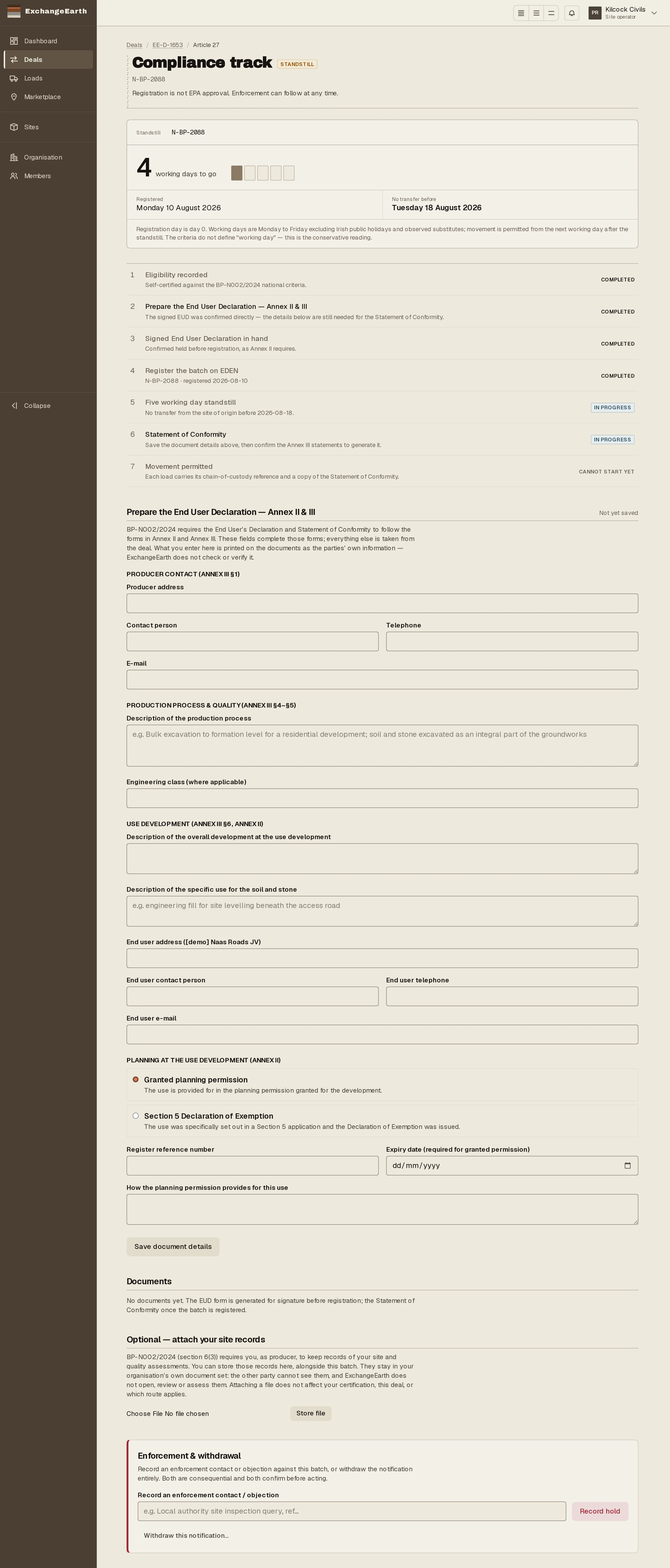
Fill the Annex II & III details (the end user’s contacts, the specific use, the planning reference) and Generate the EUD form. Print it, get the end user’s signature, then Confirm signed EUD is in hand. The criteria require the declaration before registration, and the track will not let the order slip.
4
Register the batch on EDEN
Registration happens on the EPA’s EDEN portal (Circular Economy Module → Create By-product Registration), not here. Bring back the reference and date, enter them, and press Start standstill.
5
Sit the standstill out, and use it
No transfer for at least five working days from registration; the counter shows the date the batch becomes movable and the counting convention behind it. The standstill clears itself overnight when the days have run; there is no button. The one job that belongs inside the window: tick the Annex III checklist and Confirm all statements and generate the SoC, so the Statement of Conformity is ready to travel with the first load.
6
Movement permitted
When the period has run, the track shows Movement permitted and dispatch unlocks on the deal. Clearing the standstill is not an EPA approval. The route is self-certified, and enforcement remains possible at any time. What you hold now is the evidence trail: eligibility, the signed EUD, the registration, the elapsed period, the SoC.
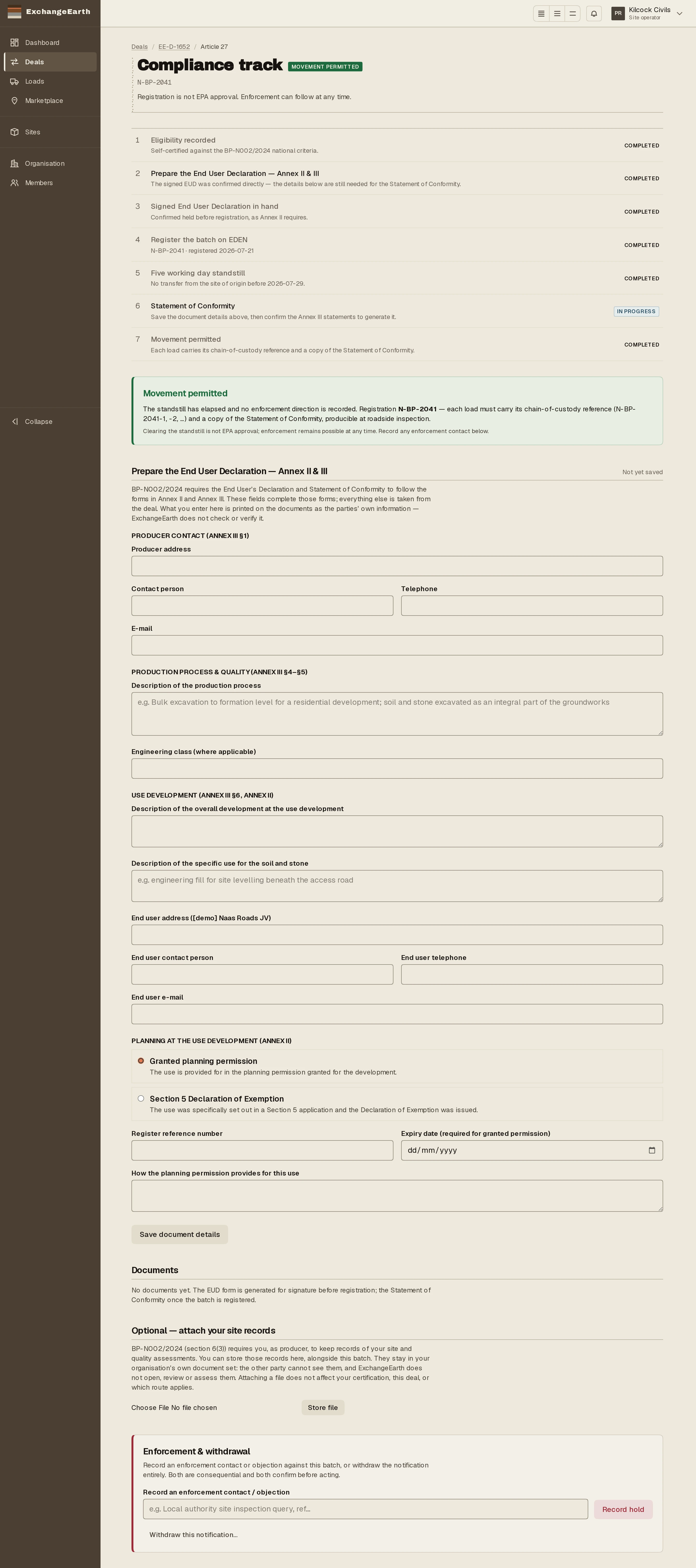
What happens next: Dispatch the first load. Each one carries the chain-of-custody reference and a copy of the SoC.