In the app / the source side
List surplus material
4 stepsAbout 4 minutesOwner, admin or site manager
A listing is the market's view of one batch: what it is, how much, where, and when it can move. Publishing costs nothing and commits you to nothing; converting it into a deal is a separate, deliberate act.
1
Open Marketplace → New listing
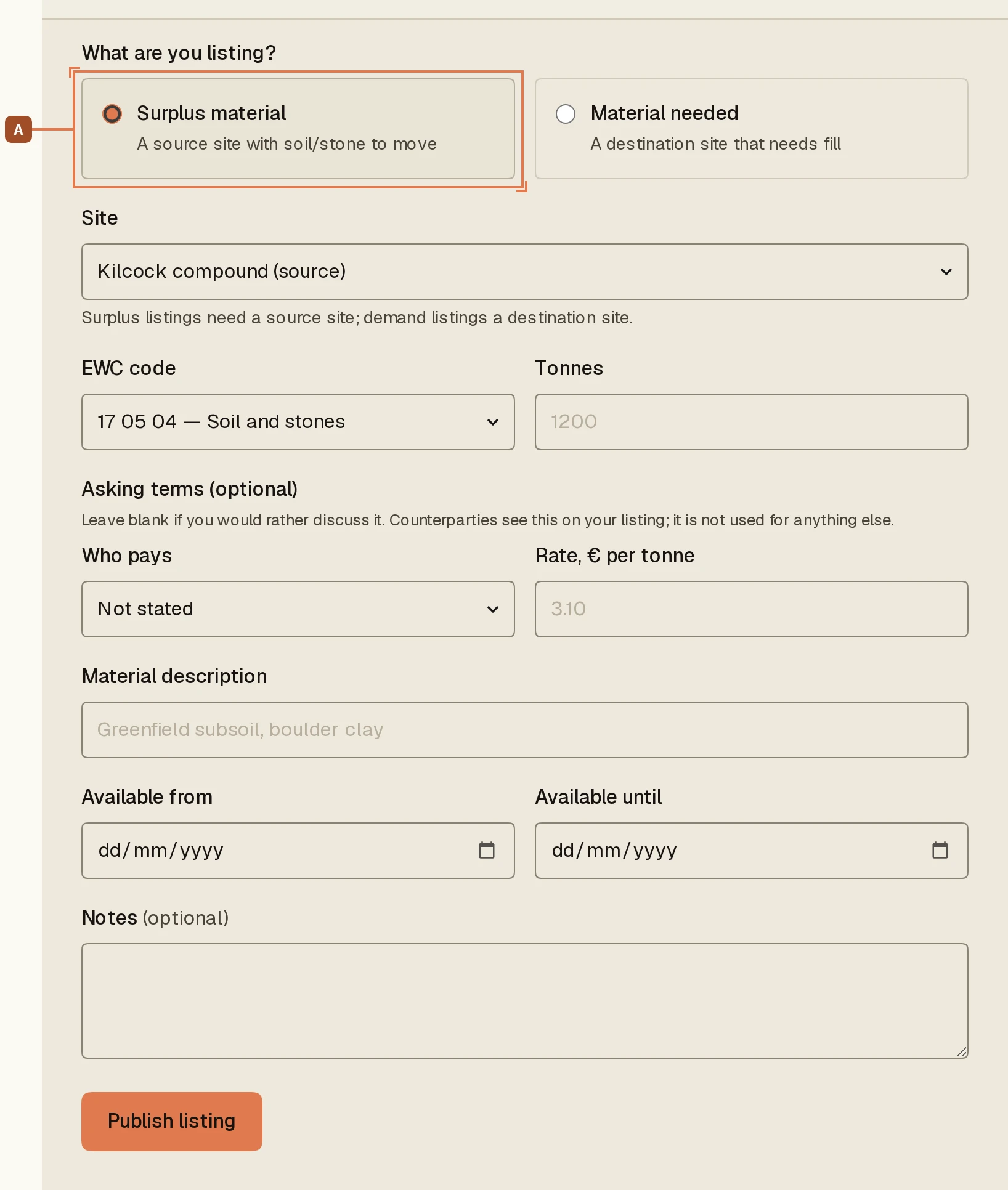
New listing sits in the marketplace header. The first question is which way this listing points: choose Surplus material A, a source site with soil or stone to move. The other half of the pair, Material needed, posts a demand listing from a destination site; it is the same form, read the other way round, and every step below applies to it unchanged.
2
Describe the batch
Pick the site, enter the EWC code, the tonnes, and the window the material can move in. The material description is what a counterpart reads first, so say what it actually is (“greenfield subsoil and stone, dry-won”), not a sales line.
3
State terms, or don't
Asking terms is optional and three-way: not stated, destination pays source, or source pays destination, with a €/t figure. Leaving terms unstated keeps the conversation open; stating them filters your matches to counterparts who can live with them.
4
Publish, and find it under Your listings
Press Publish listing. It joins the open market immediately, and the matching engine starts pairing it with demand within 50 km on the same EWC code and an overlapping window.
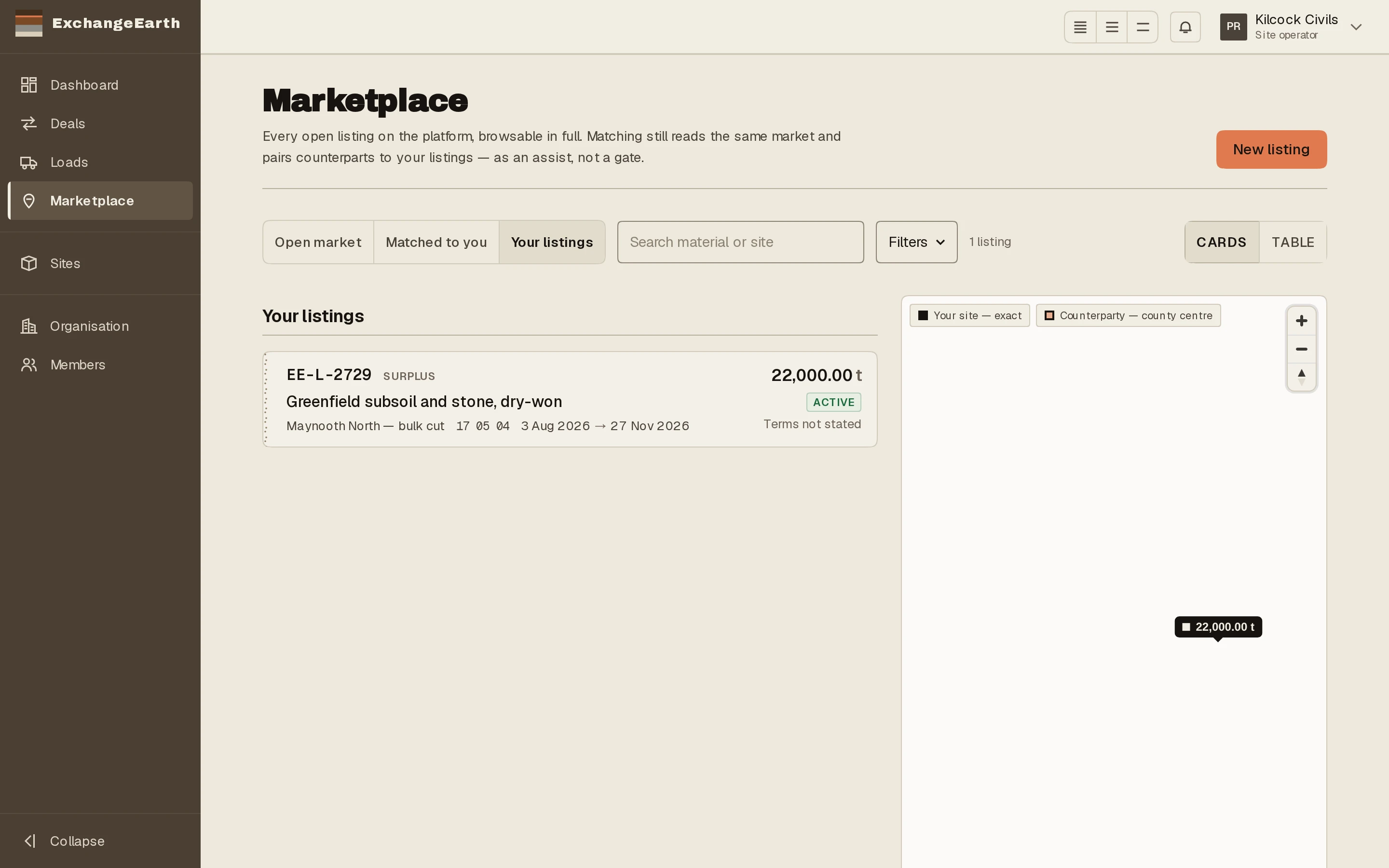
What happens next: Matches appear on the listing record and under Matched to you. The next tutorial starts a deal from one.