4 stepsAbout 4 minutesOwner, admin or site manager
Dispatching creates the load's chain-of-custody record and puts it in front of a driver. One truck at a time, from the deal itself, and only once the compliance gate is clear.
1
Know what the gate looks like
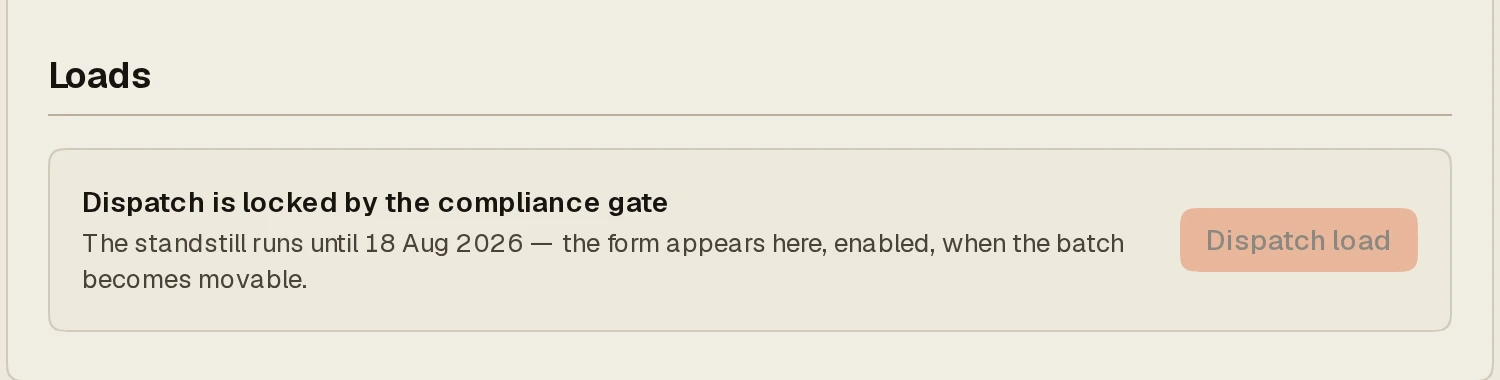
Until the standstill has run, the Loads section shows Dispatch is locked by the compliance gate with the date it opens, and the button stays disabled. Nothing you enter here moves anything early; the gate is the point.
A locked dispatch: the form appears, enabled, when the batch becomes movable.
2
Enter the load
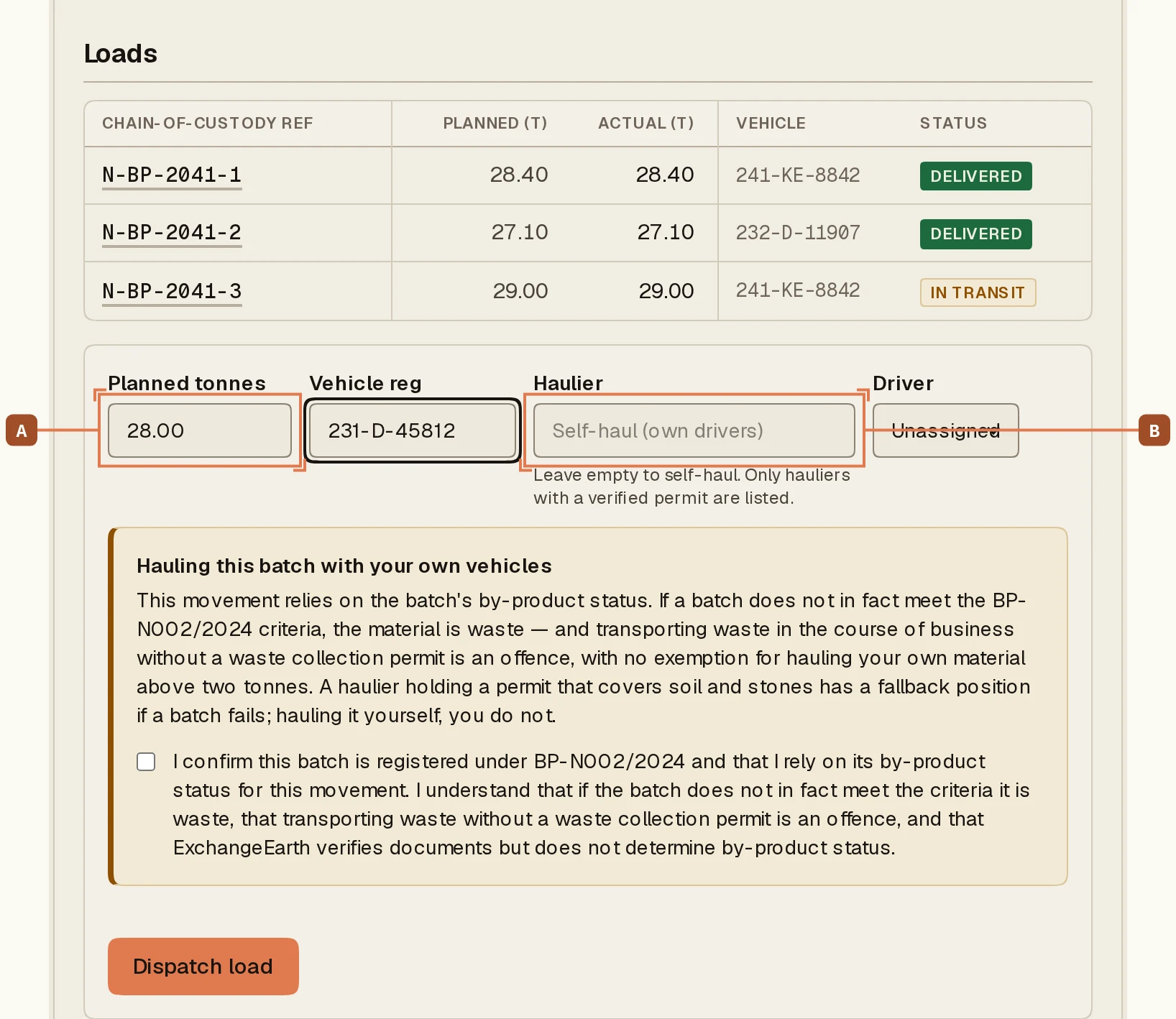
Planned tonnes A and the vehicle registration. The tonnage is a plan, not a weighbridge figure; the driver records what was actually loaded at pickup.
The dispatch form on a cleared deal: tonnes (A), vehicle reg, and the carrier (B).
3
Choose who hauls it
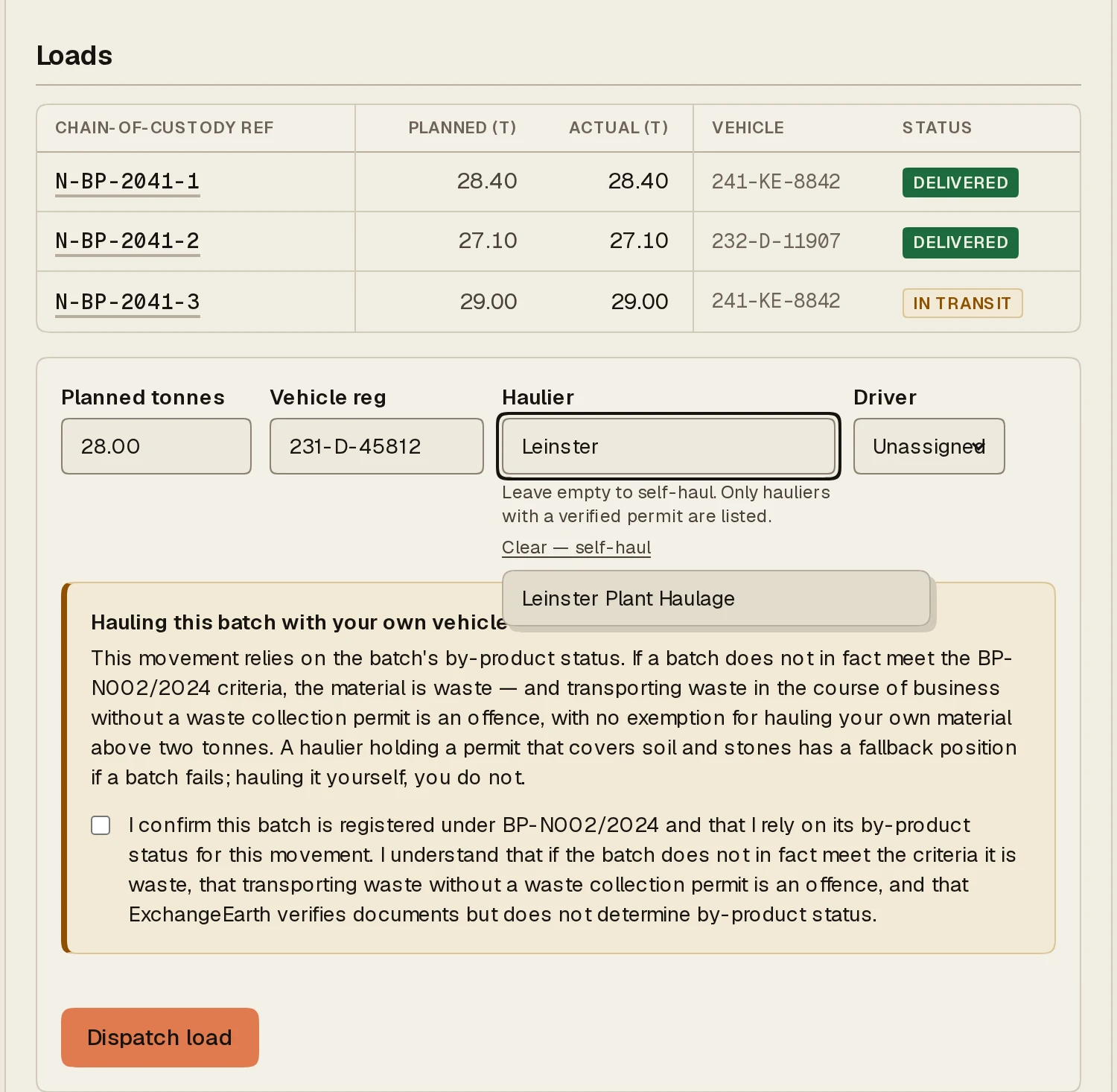
The carrier field B offers two choices: Verified hauliers, meaning organisations whose NWCPO collection permit ExchangeEarth has checked, or Self-haul (own drivers). A third-party haulier’s own drivers will see and accept the load; self-haul asks you to assign one of your drivers and to acknowledge the self-haul conditions before the button unlocks.
Choosing the carrier: only verified hauliers are offered.
4
Dispatch, and watch the figures move
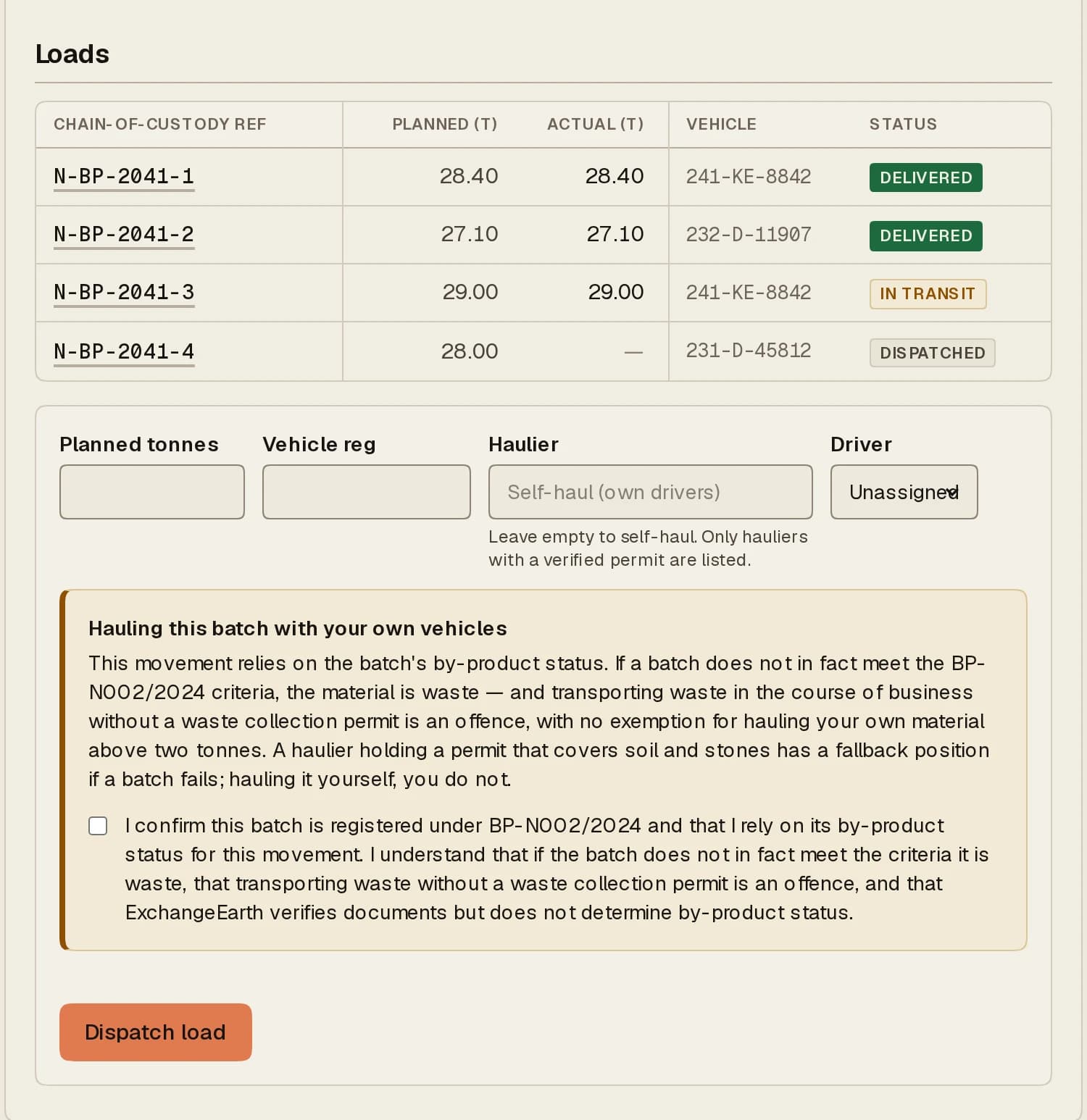
Dispatch load creates the record. The deal’s figures band now tracks it (estimated, delivered, on the road, still to move) and the load itself appears in the Loads register with its chain-of-custody reference.
One load on the road: the register row carries the reference the driver will quote.
What happens next: The driver takes it from here. Their side of the record is three taps and two captures.
Put a batch on the marketplace: site, EWC code, tonnes and window. Matching starts reading it the moment you publish, and the same form, flipped, posts a material-needed listing.
Browse the open market or your matches, and convert a listing into a deal with one counterpart. Converting is permanent: the listing leaves the market.
From draft to agreed: propose to the counterparty, invite them to register if they are not here yet, and read the turn banner that says whose move it is.
Eligibility, the signed End User Declaration, registration on EDEN, the five-working-day standstill and the Statement of Conformity, in the order the criteria require.
If the batch fails a national criterion, the fallback is a single-case Article 27 notification on EDEN: record the submission, wait for the EPA's determination, record the outcome.