3 stepsAbout 3 minutesOwner, admin or site manager
The marketplace is browsable in full. Matching narrows it, but never gates it. Starting a deal converts your listing against one counterpart, and conversion is permanent: the listing leaves the market.
1
Browse the open market
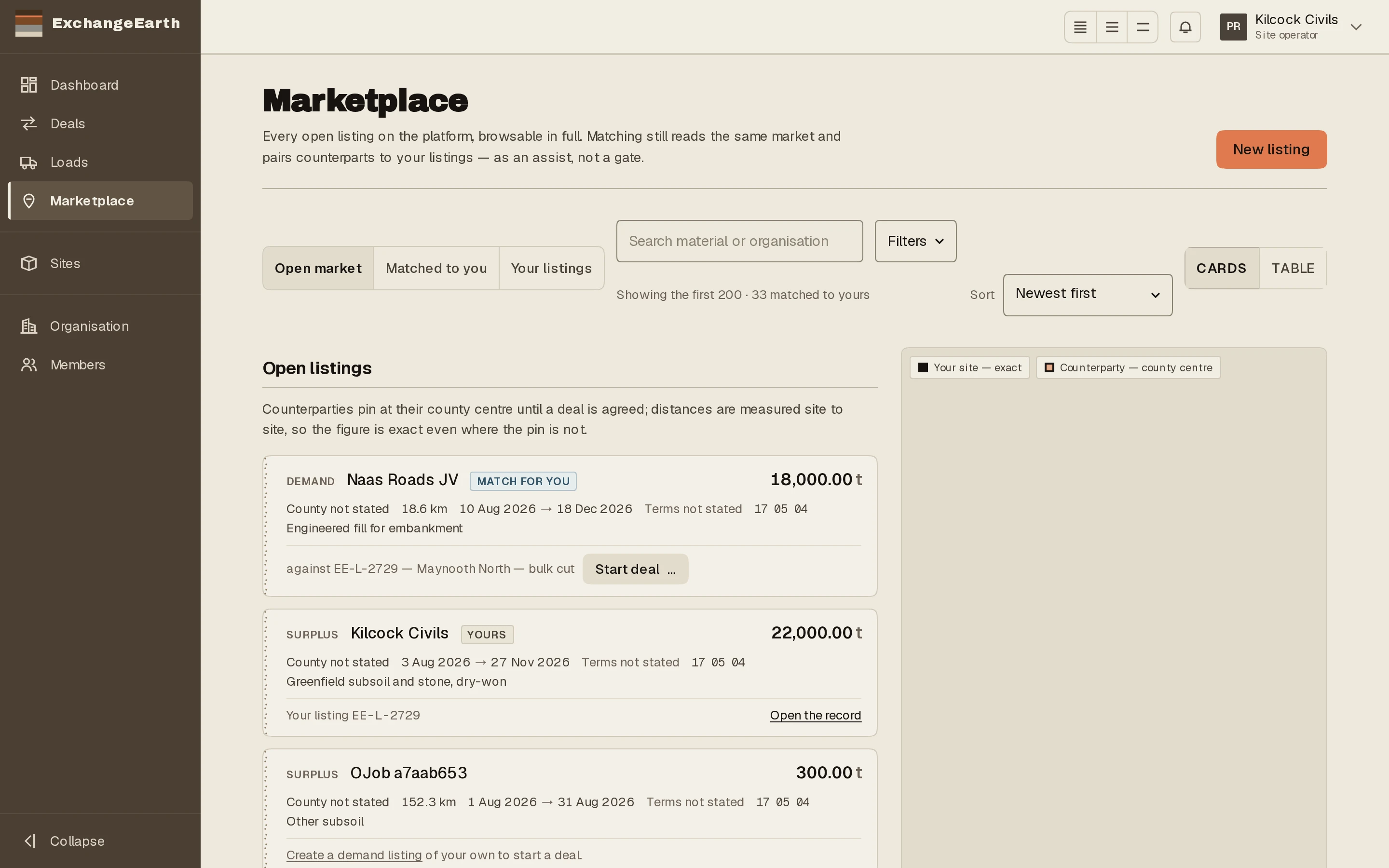
Marketplace opens on Open market: every active listing on the platform, cards on the left, map on the right. Counterparties pin at their county centre until a deal is agreed; distances are measured site to site, so the figure is exact even where the pin is not.
The open market: cards left, map right, your own sites at exact points.
2
Or let the matches come to you
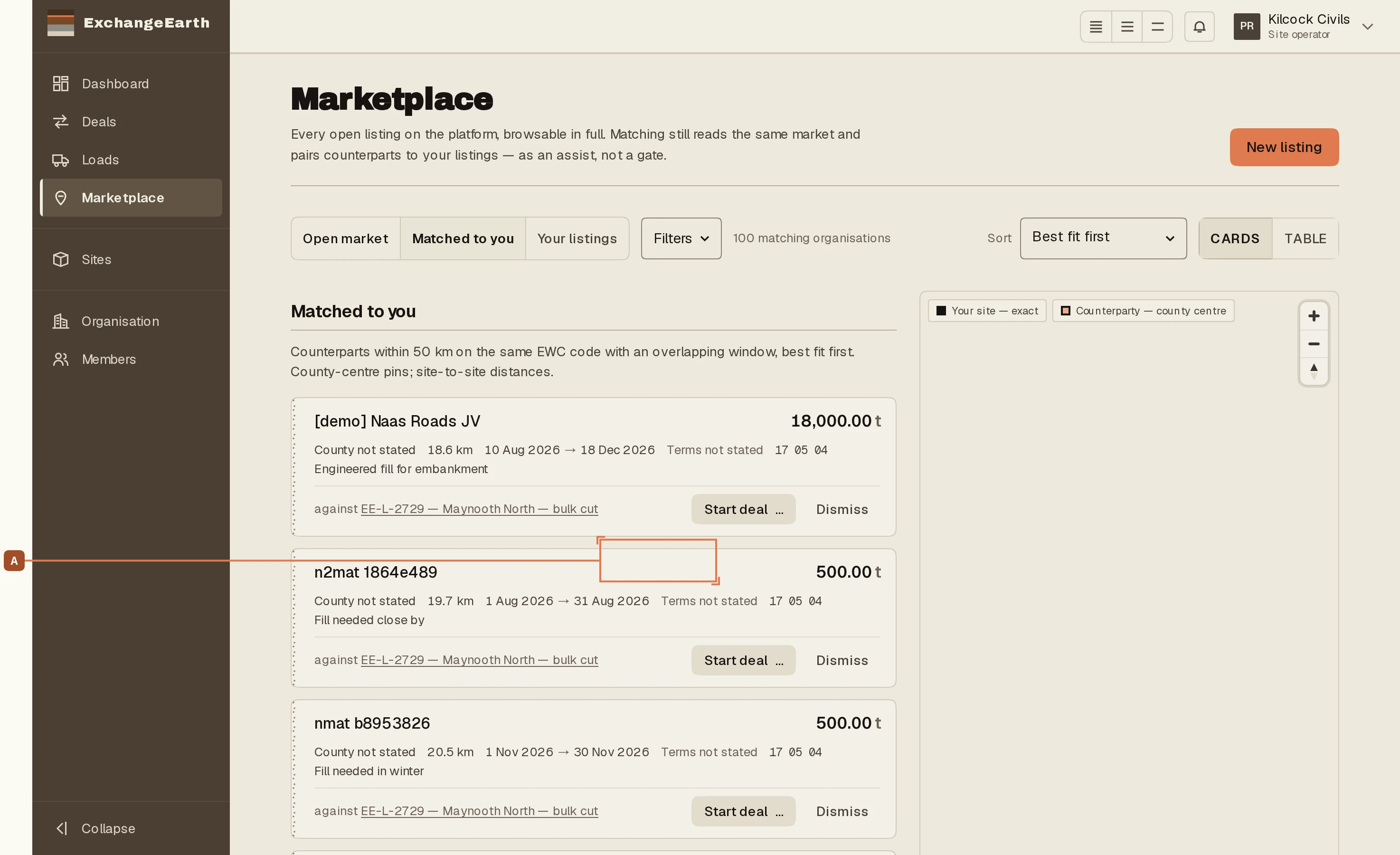
Matched to you narrows the market to counterparts within 50 km on the same EWC code with an overlapping window, best fit first. Each row carries Start dealA and Dismiss; dismissed matches can be restored from the listing record.
Matched to you. Start deal (A) converts your listing against this counterpart.
3
Convert deliberately
Start deal… asks you to confirm, and the confirmation means what it says: this creates a deal with that organisation and marks your listing as converted, so it leaves the marketplace and cannot be relisted. A new offer is a new listing.
Put a batch on the marketplace: site, EWC code, tonnes and window. Matching starts reading it the moment you publish, and the same form, flipped, posts a material-needed listing.
From draft to agreed: propose to the counterparty, invite them to register if they are not here yet, and read the turn banner that says whose move it is.
Eligibility, the signed End User Declaration, registration on EDEN, the five-working-day standstill and the Statement of Conformity, in the order the criteria require.
If the batch fails a national criterion, the fallback is a single-case Article 27 notification on EDEN: record the submission, wait for the EPA's determination, record the outcome.